
Setup
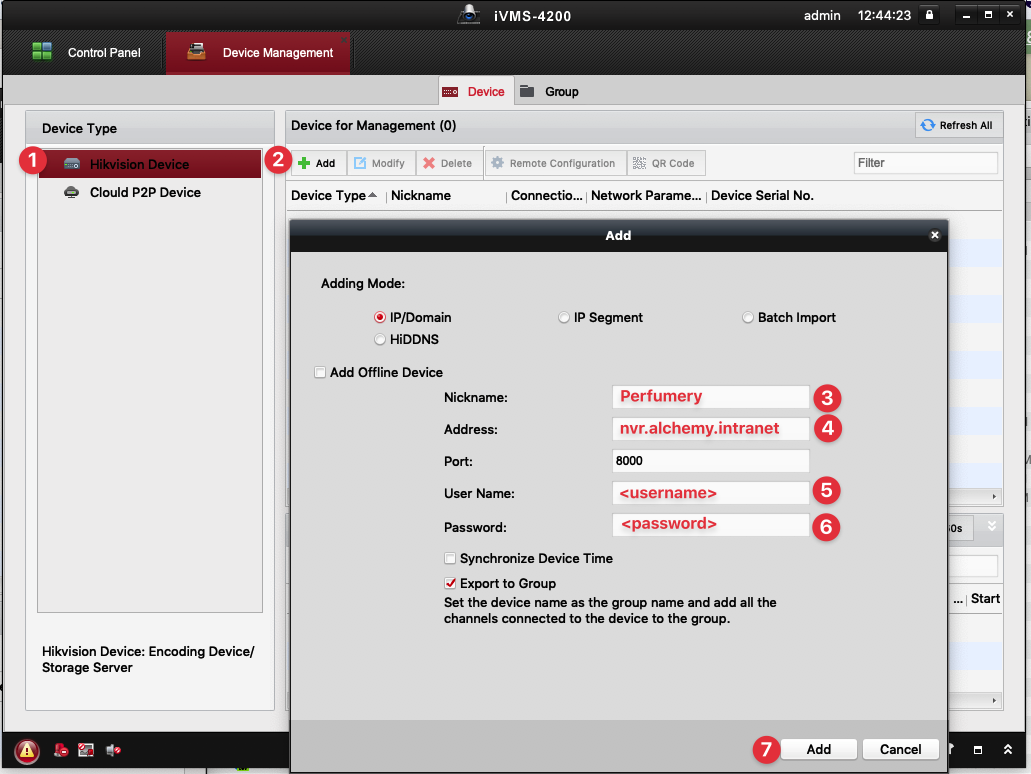
username: <provided by IT>
password: <provided by IT>
server: nvr.alchemy.intranet
- Download and install the desktop application: https://us.hikvision.com/en/products/software/ivms-4200-series
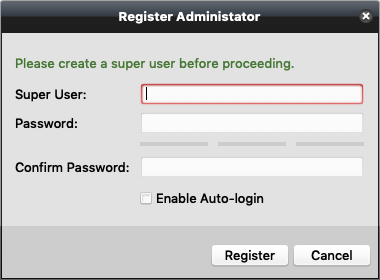
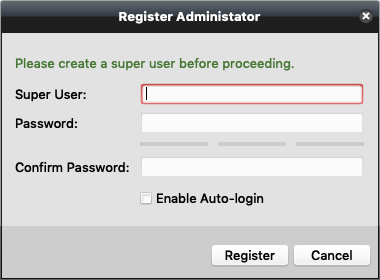
- Register: this is a user that will only exist for the app on your computer.
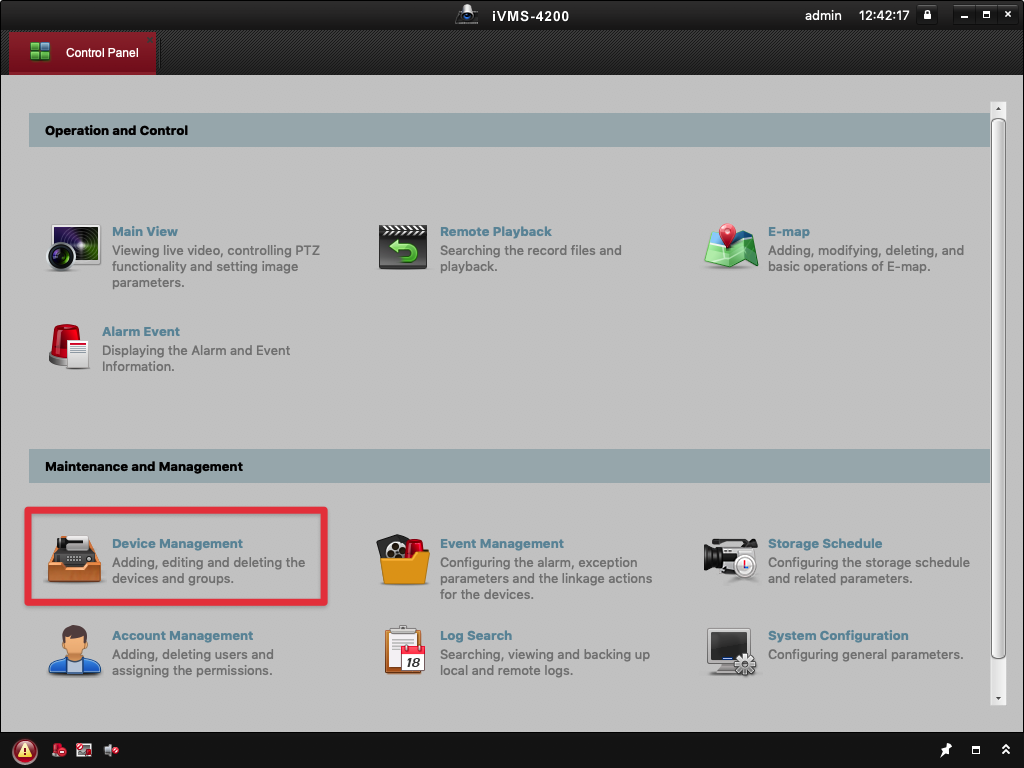
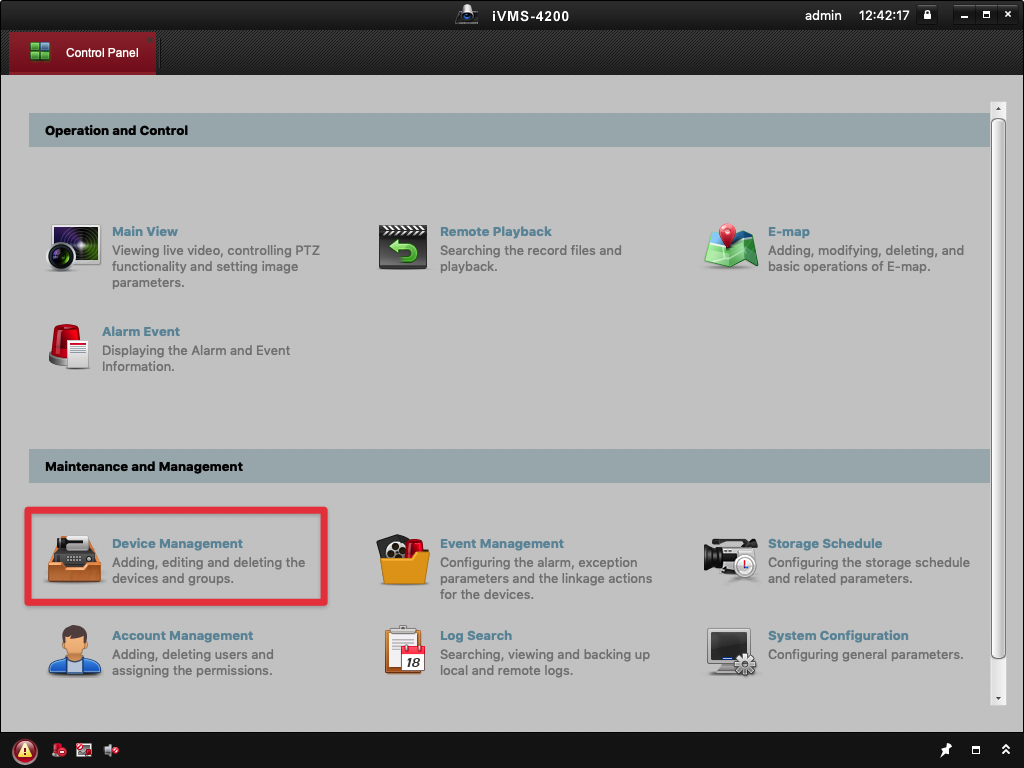
- Once the application opens, click on "Device Management"
- Then click "Hikvision Device" (1), then "+ Add" (2), then enter the server information.

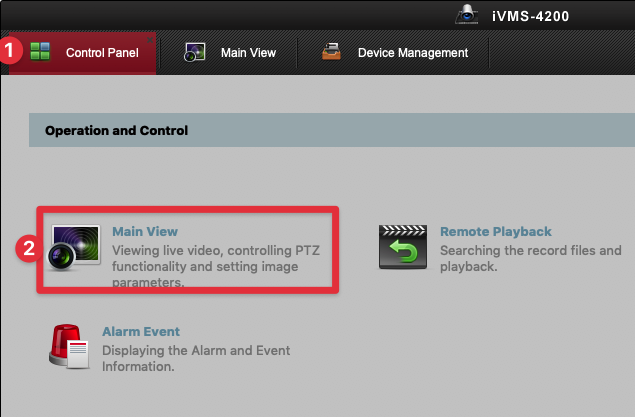
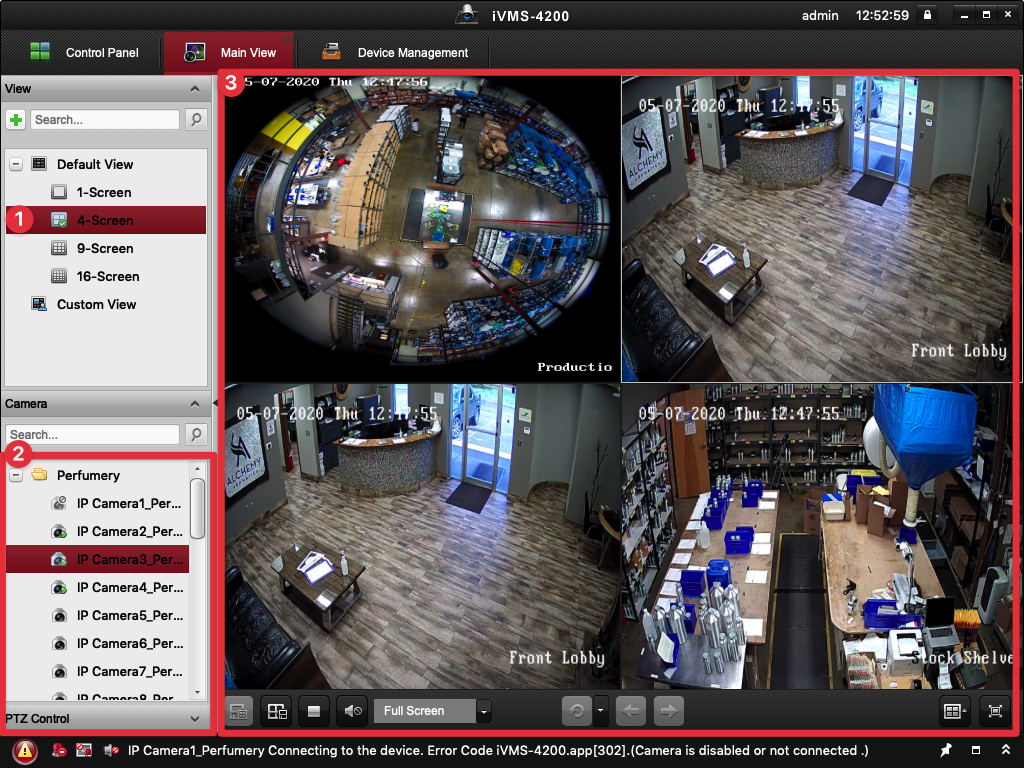
- Click "Control Panel" (1), and then "Main View" (2)
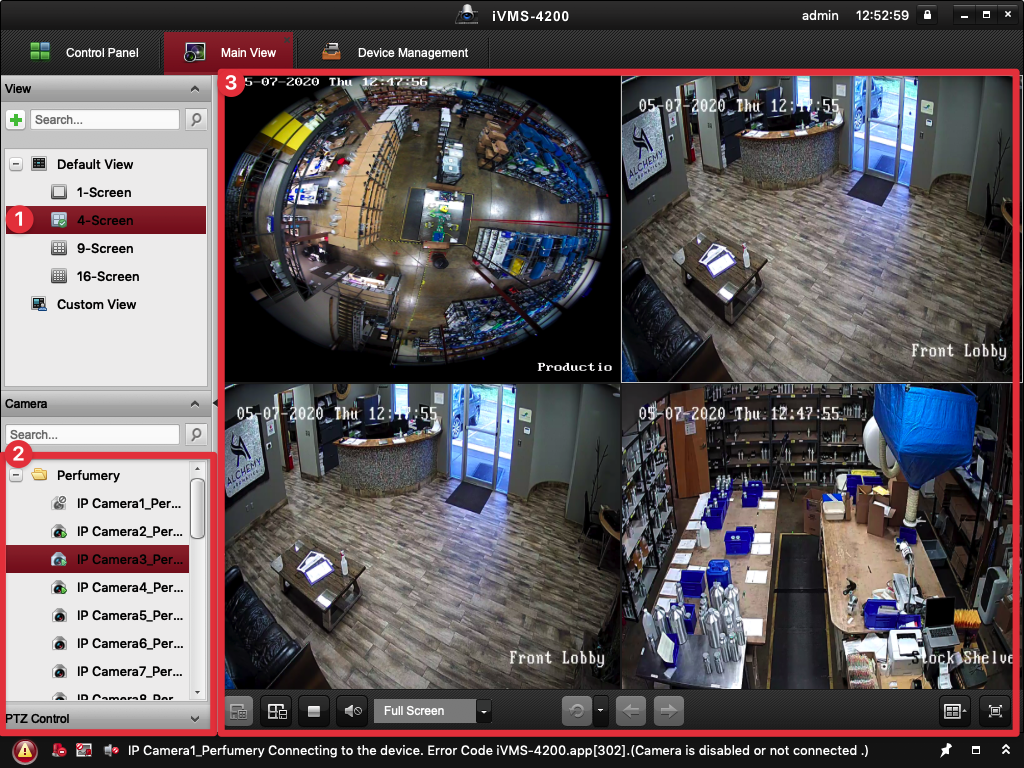
- Select how many cameras you would like to view at once (1), then drag the cameras you want to see from the bottom left (2) onto a panel on the right (3).

No Comments