
Configure Security
- Make sure you are running the latest version of Google Chrome (80+).
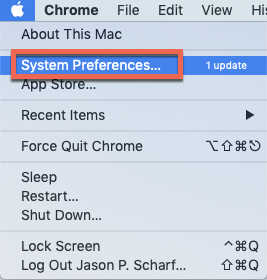
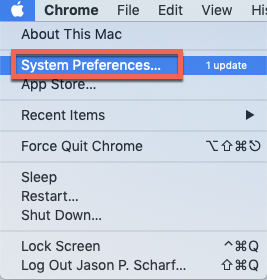
- Open system Preferences
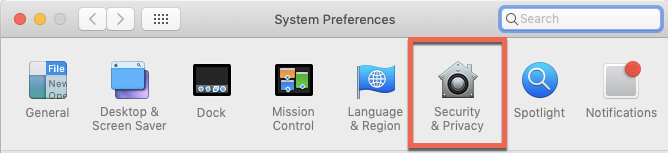
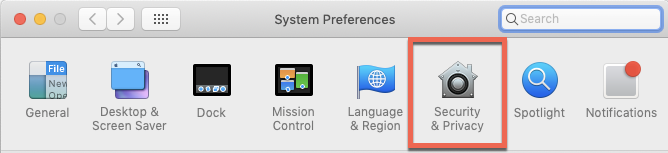
- Click on Security & Privacy
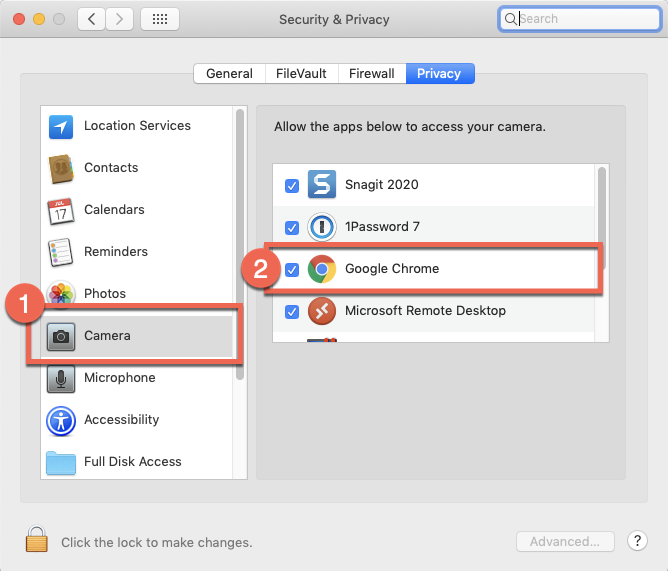
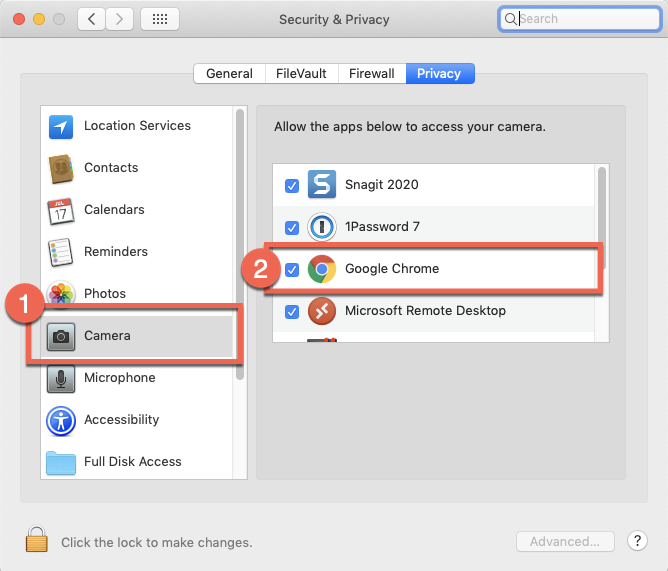
- Click on Camera (1) (if you do not see camera, skip to #6), then check the box next to Google Chrome (2).
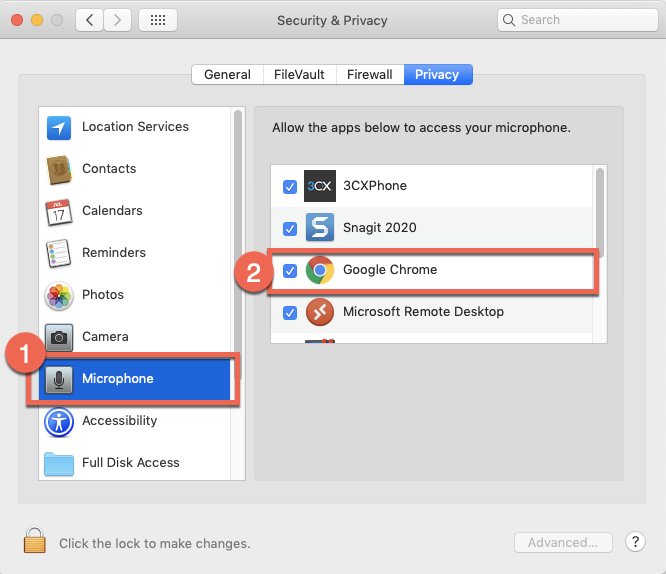
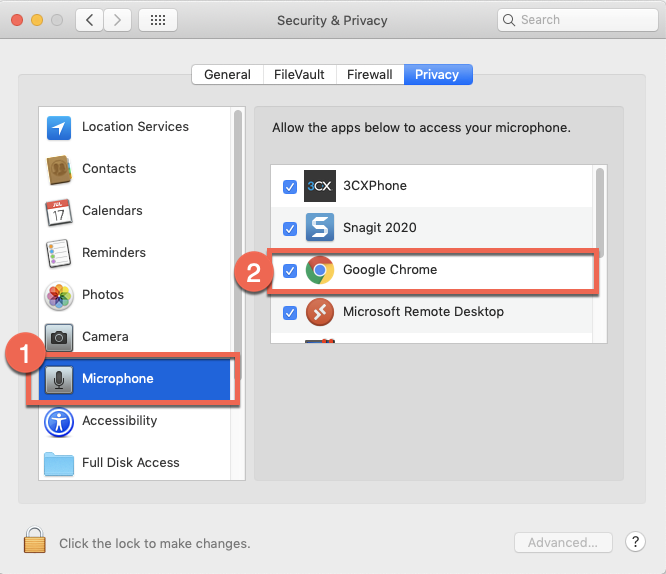
- Click on Microphone (1) (if you do not see microphone, skip to #6), then check the box next to Google Chrome (2).
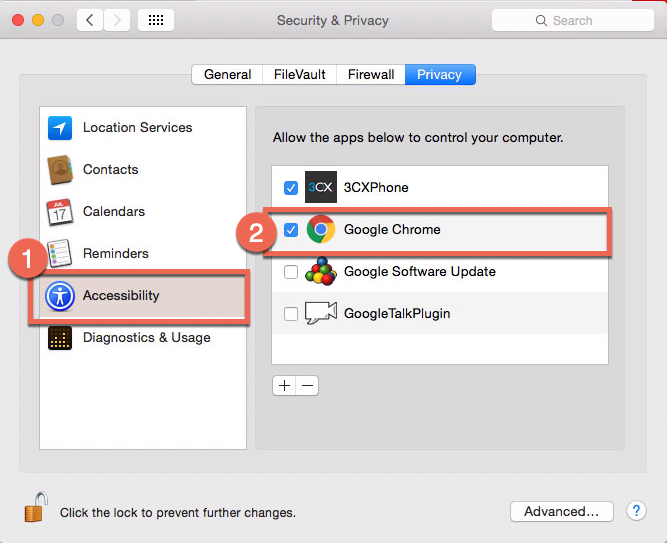
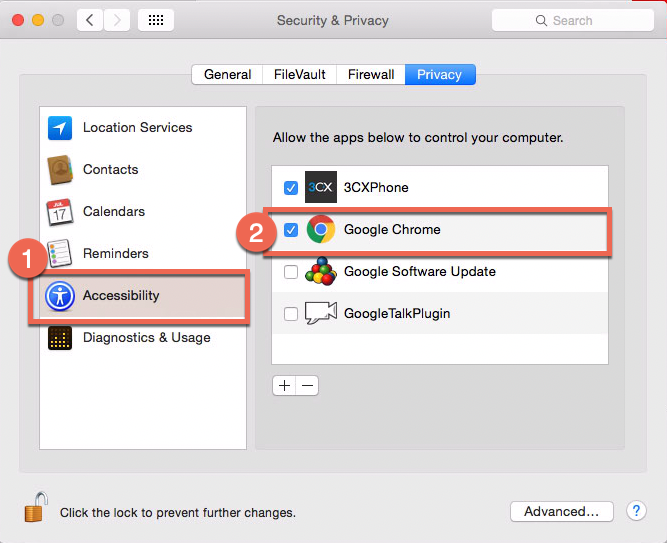
- If you did not have Camera or Microphone, click on Accessibility (1), then check the box next to Google Chrome (2).
No Comments